This post is older than 2 years and might not be relevant anymore
More Info: Consider searching for newer posts

How to erase a protected firmware program (knowing the protected password)

I'm trying to deploy a new firmware to my hardware device but I get the following error in the nrf  Connect 3.6.1 programmer (v1.4.8):

  • 16:47:36.937
    Error when getting device info: Error: Error: Error occured when get device info. Errorcode: CouldNotCallFunction (0x9) Lowlevel error: NOT_AVAILABLE_BECAUSE_PROTECTION (ffffffa6)
  • 16:47:36.937
    Could not fetch memory size of target devkit: Cannot read property 'family' of undefined

I cannot read nor erase from the device through the programmer because of this error.

I assume this is because the device is password protected. I know this password, is there a way to erase the device's current firmware?

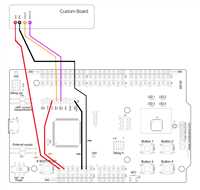
(I'm using the NRF52-DK to connect/program with it, and the pins are accessible, which is how I'm connecting)

Parents
  • Hi,

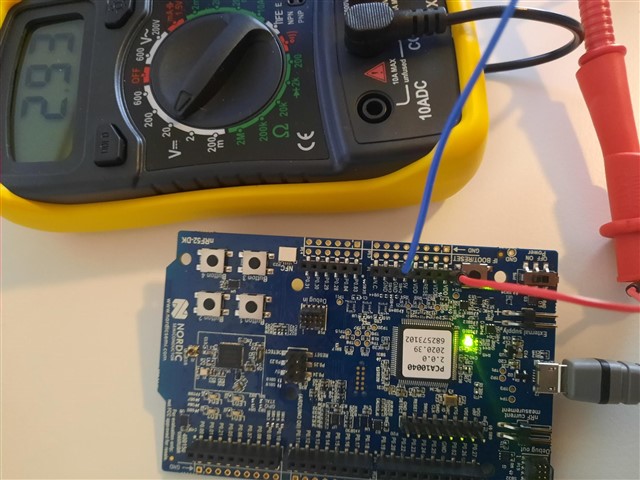
    2.93V is the output on the VDD to my device of the SDK. (I can put batteries to the unit if that would be better?)
    The password I use only to get inside the firmware of the device when I connect with Bluetooth, ensuring no external people can read it out.
    It has no further purpose

    I don't have a command line tool, which would you recommend?

    here's a pick of the sdk voltage readout:


Reply
  • Hi,

    2.93V is the output on the VDD to my device of the SDK. (I can put batteries to the unit if that would be better?)
    The password I use only to get inside the firmware of the device when I connect with Bluetooth, ensuring no external people can read it out.
    It has no further purpose

    I don't have a command line tool, which would you recommend?

    here's a pick of the sdk voltage readout:


Children
Related