This discussion has been locked.
You can no longer post new replies to this discussion. If you have a question you can start a new discussion

Custom Board Issues with zypher project in SES

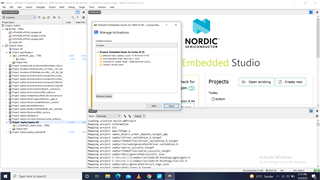
I copied the button project from samples in other drive. Copied the ../boards/arm/nRF534DK_nRF5340 in the new project folder. Then, I changed the names of board in all file as explined in video https://www.youtube.com/watch?v=KSivO9Cf1TE. When, try to create project usinf nRF Connect, error: can not create project .... the error shows incomplete comfiguration. The whole project in attachement.   I am using the free version of SES. The liscence configuration in shown in atached image.    5050.bms.rarbms1.rar  I tried other way also. I copied the ../boards/arm/ nRF5340DK_nRF5340 to location of new project. modified the CMkaelsits file and tried to create project usnf nRF Connect SDK. Same error appears. This project also in attched file bms1.
Parents
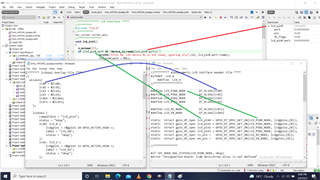
  • Dear Simon, after copying the custom board to nrc/... directory, the Build is successful. When, Debug is run, and rach to the custom Pins initialization, the custom pins do not have any address assgigned. Pls, see the image.

Reply
  • Dear Simon, after copying the custom board to nrc/... directory, the Build is successful. When, Debug is run, and rach to the custom Pins initialization, the custom pins do not have any address assgigned. Pls, see the image.

Children
  • I could not find the .yaml file for the compatible "lcd_pins" in <ncs location>\zephyr\dts\bindings\, so I assume you have added it yourself. If so, could you upload that file, so I can test this on my side.

  • Dear, the yaml file is in att

    # Copyright (c) 2018, Linaro Limited
    # SPDX-License-Identifier: Apache-2.0
    
    description: LCD16X2 PINs parent node
    
    compatible: "lcd16x2-pins"
    
    include:
        - name: base.yaml
          property-allowlist: [label]
    
    properties:
        label:
          description: |
            Human readable string describing the device and used to set the device
            name. It can be passed as argument to device_get_binding() to retrieve
            the device. If this property is omitted, then the device name is set
            from the node full name.
    
    child-binding:
        description: LCD16X2 PIN child node
        properties:
           lcdgpios:
              type: phandle-array
              required: false
           label:
              required: true
              type: string
              description: |
                Human readable string describing the LCD PIN. It can be used by an
                application to identify this LCD PIN or to retrieve its number/index
                (i.e. child node number) on the parent device.
    

  • Try changing the compatible to "lcd16x2-pins" (same as in the yaml file), so the overlay file looks like this:

    /{
        aliases {
            lcd0 = &lcd0;
        };
    
        lcd16x2 {
            compatible = "lcd16x2-pins";
            status = "okay";
            lcd0: lcd_0{
                lcdgpios = <&gpio1 10 GPIO_ACTIVE_HIGH>;
                label = "LCD_D1";
                status = "okay";
            };
        };
    };

    When I did that, and tested with this code:

    #define LCD_PIN0_NODE DT_ALIAS(lcd0)
    static struct gpio_dt_spec lcd_pin0 = GPIO_DT_SPEC_GET_OR(LCD_PIN0_NODE, lcdgpios, {0});
    .
    .
    .
    void main(void)
    {
        printk("lcd_pin0.port: %p\n",(void*)lcd_pin0.port);
        printk("lcd_pin0.pin: %d\n", lcd_pin0.pin);
        .
        .

    It worked fine, I got this output:

    *** Booting Zephyr OS build v2.6.99-ncs1-1  ***
    lcd_pin0.port: 0x4b20
    lcd_pin0.pin: 10
    .
    .
    .

Related