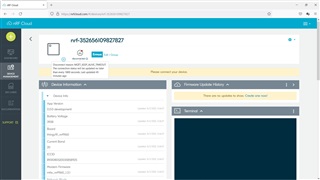
Nordic Thingy 91 Low power version of Asset tracker v2 now does not send Barometric pressure nor button press data

Hi,

I followed the procedure described here with Nordic Thingy 91 https://devzone.nordicsemi.com/nordic/nordic-blog/b/blog/posts/nowi-powered-energy-autonomous-nordic-thingy-91-platform

and now it works with low power consumption and sends data to NrfCloud, that is fine.

However, after adding the prj.conf file, now it does not send emvironmental pressure and button press values. How can still receilve those values into NrfCloud, along with temperature and moisture that I already receive?

Regards

Parents Reply Children
  • You can get the application debug log from UART, either via USB or via BLE UART Service:

    This device will advertise as "Thingy:91 UART".
    Connect using a BLE Central device, for example a phone running the nRF Connect app:
    www.nordicsemi.com/.../

    NOTE: The BLE interface is unencrypted and intended to be used during debugging.
    By default the BLE interface is disabled.
    Enable it by setting the appropriate option in Config.txt.

    How to acquire a modem trace is documented here.

  • Sorry,

    With current code the Thingy is not advertising over BLE. Also I opened a serial terminal with Putty (it shows up two serial connections for the Thingy91) but nothing is printed out.

    Do you need the serial log with this code or should I flash the original Asset Tracker V2 code?

  • With current code the Thingy is not advertising over BLE. Also I opened a serial terminal with Putty (it shows up two serial connections for the Thingy91) but nothing is printed out.

    Did you enable the UART service in the Thingy:91 config? The config is editable when you plug it in, the Thingy:91 will show up as a mountable drive.

    Also make sure that UART is not disabled (e.g. the asset_tracker_v2's low-power overlay disables it).

  • How can I enable it back? What should I modify in the low power overlay?

  • This is the serial output over BLE:

    %CESQ: 41,2,20,2
    [00:00:10.094,909] [0m<inf> event_manager: UI_EVT_BUTTON_DATA_READY[0m
    [00:00:10.101,593] [0m<inf> event_manager: DATA_EVT_UI_DATA_READY[0m
    %CESQ: 40,2,25,3
    %CESQ: 37,1,20,2
    +CEREG: 5,"4416","0F496C78",7,,,"00001010","11000010"
    [00:00:16.200,958] [0m<inf> event_manager: MODEM_EVT_LTE_CONNECTED[0m
    [00:00:16.207,885] [0m<inf> event_manager: MODEM_EVT_LTE_PSM_UPDATE[0m
    [00:00:16.215,026] [1;33m<wrn> cloud_module: Cloud connection establishment in progress[0m
    [00:00:16.223,083] [1;33m<wrn> cloud_module: New connection attempt in 32 seconds if not successful[0m
    [00:00:24.551,025] [0m<inf> event_manager: CLOUD_EVT_CONNECTED[0m
    [00:00:25.001,068] [0m<inf> event_manager: DATA_EVT_DATE_TIME_OBTAINED[0m
    [00:00:25.008,209] [0m<inf> event_manager: APP_EVT_DATA_GET - Requested data types (MOD_DYN, BAT, ENV, MOD_STAT)[0m
    [00:00:25.023,162] [0m<inf> event_manager: SENSOR_EVT_ENVIRONMENTAL_DATA_READY[0m
    [00:00:25.062,591] [0m<inf> event_manager: MODEM_EVT_MODEM_STATIC_DATA_READY[0m
    [00:00:25.106,323] [0m<inf> event_manager: MODEM_EVT_MODEM_DYNAMIC_DATA_READY[0m
    [00:00:25.149,810] [0m<inf> event_manager: MODEM_EVT_BATTERY_DATA_READY[0m
    [00:00:25.157,287] [0m<inf> event_manager: DATA_EVT_DATA_READY[0m
    [00:00:25.174,377] [0m<inf> event_manager: DATA_EVT_DATA_SEND[0m
    [00:00:25.182,098] [0m<inf> event_manager: DATA_EVT_DATA_SEND_BATCH[0m
    [00:00:25.205,841] [0m<inf> event_manager: CLOUD_EVT_DATA_ACK[0m
    [00:00:25.212,890] [0m<inf> event_manager: CLOUD_EVT_DATA_ACK[0m
    %CESQ: 40,2,25,3
    +CSCON: 0
    %CESQ: 41,2,17,2
    %CESQ: 41,2,22,3
    %CESQ: 255,0,255,0
    [00:01:58.765,991] [0m<inf> event_manager: UI_EVT_BUTTON_DATA_READY[0m
    [00:01:58.772,674] [0m<inf> event_manager: DATA_EVT_UI_DATA_READY[0m
    [00:01:58.780,578] [0m<inf> event_manager: DATA_EVT_UI_DATA_SEND[0m
    [00:01:58.823,760] [0m<inf> event_manager: CLOUD_EVT_DATA_ACK[0m
    %CESQ: 31,1,20,2
    +CSCON: 1
    +CSCON: 0
    %CESQ: 38,1,24,3
    %CESQ: 255,0,255,0

Related