how to send a char to bluetooth to mobile

Hi i am new to nrf52840 i want to send a char continuously through bluetooth to mobile, im using sdk 17.1.0 and i have tried ble_app_uart in the example but the blue tooth is not advertising where do i miss i donot know, can any body help me out by suggesting a good example for sending the character to mobile continuously.

Parents
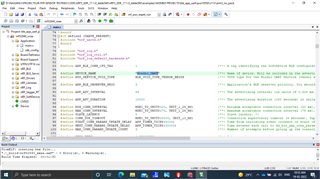
  • Hi Karl thankyou for the reply, im using keil for building and loading the code into the nrf52840 dkboard, after loading the ble_app_uart code into the dk board as per my understanding the bluetooth device name as per the code is "Nordic_UART"  as below.

    my question is this name does not get advertised when i open my bluetooth in my mobile, and also the iam not recieving any "Uart started" in my terminal as per the main code below when ever i restart the dk board.


    int main(void)
    {
        bool erase_bonds;
    
        // Initialize.
        uart_init();
        log_init();
        timers_init();
        buttons_leds_init(&erase_bonds);
        power_management_init();
        ble_stack_init();
        gap_params_init();
        gatt_init();
        services_init();
        advertising_init();
        conn_params_init();
    
        // Start execution.
        printf("\r\nUART started.\r\n");
        NRF_LOG_INFO("Debug logging for UART over RTT started.");
        advertising_start();
    
        // Enter main loop.
        for (;;)
        {
            idle_state_handle();
        }
    }
    

  • Hello,

    Nagaraj JP said:
    thankyou for the reply

    No problem at all, I am happy to help!

    Nagaraj JP said:
    im using keil for building and loading the code into the nrf52840 dkboard, after loading the ble_app_uart code into the dk board as per my understanding the bluetooth device name as per the code is "Nordic_UART"  as below.

    How have you verified whether or not the board is actually advertising? Does LED1 blink slowly? This is the usual advertising indication used in the SDK examples.
    If this does not happen we will need to look into how the device is flashed, and whether or not this is successful. How do you perform the programming of the device?

    Best regards,
    Karl

  • Hello,

    Nagaraj JP said:
    The image i shared you is just to show you how do I erase and load a program in the nrf52840 dk board. The below is the log which i get for erasing and loading the program.

    Thank you for clarifying this.

    Nagaraj JP said:
    yes when i load a uart program it works fine but for ble app it is not advertising any bluetooth.
    Nagaraj JP said:
    The example which i load is not modified it is exactly the same example in the sdk i just copied and pasted into my folder.

    Then it is quite strange that you are not seeing it function as expected.
    Could you try to run this in a debug session to see if the program unexpectedly is getting stuck anywhere?
    Could you also open an RTT terminal, like the Segger RTT Viewer to see if there are any unexpected logs being written there?
    The 'UART example started' message should appear in a regular Serial terminal, but all error loggings etc. will require an RTT terminal to view.

    Nagaraj JP said:
    yes sure i will consider this point.

    Great, I am happy to hear that!

    Best regards,
    Karl

  • Hi i just now got the bluetooth advertising the issue is because of the softdevices i uploaded the latest version of the softdevices into the nrf52840 now it is advertising but the thing is it is not paring to my mobile and i want to know what is the exact functionality of the "ble_app_uart" example cany you please help me out in that

  • Oh, yes, in Keil you will need to flash the SoftDevice separatly, apologies for not being explicit about this earlier.

    Nagaraj JP said:
    now it is advertising but the thing is it is not paring to my mobile and i want to know what is the exact functionality of the "ble_app_uart" example cany you please help me out in that

    You can read about how the example functions in the example documentation. The example does not utilize any security, so you only need to connect to it in order to access its services. The device will output anything it received in the NUS RX characteristic on it's UART - so if your device is connected to a PC with a serial monitor it will display the received message there.

    Best regards,
    Karl

  • You can read about how the example functions in the example documentation. The example does not utilize any security, so you only need to connect to it in order to access its services. The device will output anything it received in the NUS RX characteristic on it's UART - so if your device is connected to a PC with a serial monitor it will display the received message there.

    Yes thankyou Karl i will go through the article, and now i got the message recieving in both serial monitor and in my mobile only thing is i need to find out which function is responsible for sending the message through bluetooth and i need to find where the handlers are available in the example code.

  • Hello again,

    I am glad to hear that you are now properly receiving the transfers between your phone and computer.

    Nagaraj JP said:
    i need to find out which function is responsible for sending the message through bluetooth and i need to find where the handlers are available in the example code.

    This happens in the UARTs event handler, as a handler for the TX event. Essentially, 'when a character is received over UART, check it, and queue it for transfer to the connected peer over BLE'.

    Best regards,
    Karl

Reply
  • Hello again,

    I am glad to hear that you are now properly receiving the transfers between your phone and computer.

    Nagaraj JP said:
    i need to find out which function is responsible for sending the message through bluetooth and i need to find where the handlers are available in the example code.

    This happens in the UARTs event handler, as a handler for the TX event. Essentially, 'when a character is received over UART, check it, and queue it for transfer to the connected peer over BLE'.

    Best regards,
    Karl

Children
No Data
Related