Zigbee NCP Light Coordinator example

  1.   I'm trying to run the light_zc example on Linux VM running on MAC.

  2. I've loaded the Zigbee NCP firmware on a dongle on MAC
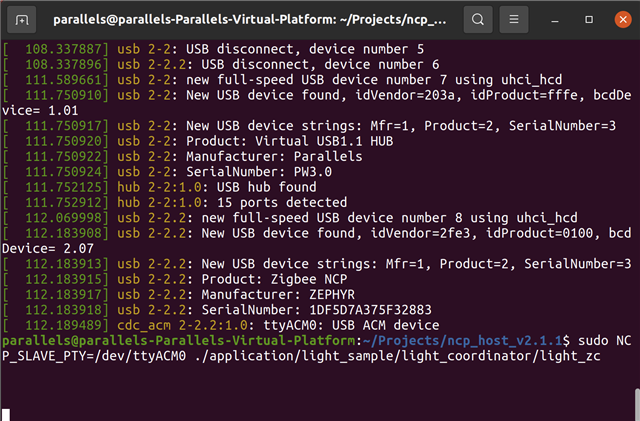
  3. I'm running the light coordinator example on Linux
  4. When I run the application, it just sits there

Any ideas on what I can try?

  • Hi,

    What do you mean by "it just sits there"? Does the dongle form the Zigbee network and then wait, or do you mean that it is not doing anything at all?

    Have you programmed the Zigbee: Light bulb sample to a separate device as stated in the Requirements part of the Zigbee NCP sample documentation and tested if the light bulb joins the network and connects to the gateway?

    Best regards,

    Marte

  • Hi Marte,

    To be clear, I'm using the nRF52840-Done for the board.  I had some issue getting the Connect SDK set up so I'm still working on it.  In the meantime, I purchased a Phillips Hue Bulb to test with.

    When I say "it just sits there" is that after running the executable, I do not see any printout of any kind.

  • Hi,

    I tested this myself, and I believe there might be an issue with using the Dongle as NCP gateway on VM. I first got permission denied, and after fixing this I now get an error that serial read failed. Using a DK it worked as expected. I will look more into this and check with the developers. In the meantime, can you upload the log from the NCP Host? It should be located in the NCP_HOST_V2.1.1 folder and called simple_gw.log. Preferably delete the log that is already there, then run the command to start the gateway (NCP_SLAVE_PTY=/dev/ttyACM0 ./application/simple_gw/simple_gw), and upload the new log here.

    Best regards,

    Marte

  • Hi,

    As I mentioned earlier there is an issue with permissions, as the VM doesn't have dialout permission. I thought I fixed the issue by giving it permission, but the new problem arose because the NCP host resets the NCP SoC right at the beginning, causing the USB device to be temporarily removed from the system. Because of this I had to share the dongle with the vm again, but then it did not have permission anymore.

    I solved this by running the NCP host with sudo:

    sudo NCP_SLAVE_PTY=/dev/ttyACM0 ./application/simple_gw/simple_gw

    I still had to share the dongle with the VM again after the removal, but after doing this the communication was reestablished and the host resumed the initialization process.

    Best regards,

    Marte

  • I've changed my user permissions and restarted

    sudo usermod -a -G dialout $USER

    Then I ran the light coordinator example (and the simple gw)

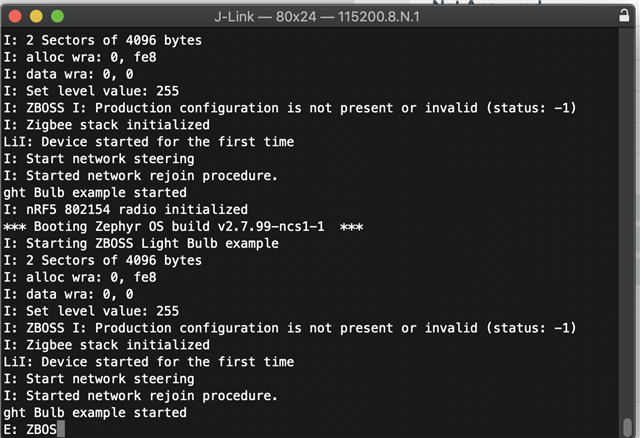
    Then I started up the light bulb sample device

    Any other ideas?

Related