Zigbee NCP Light Coordinator example

  1.   I'm trying to run the light_zc example on Linux VM running on MAC.

  2. I've loaded the Zigbee NCP firmware on a dongle on MAC
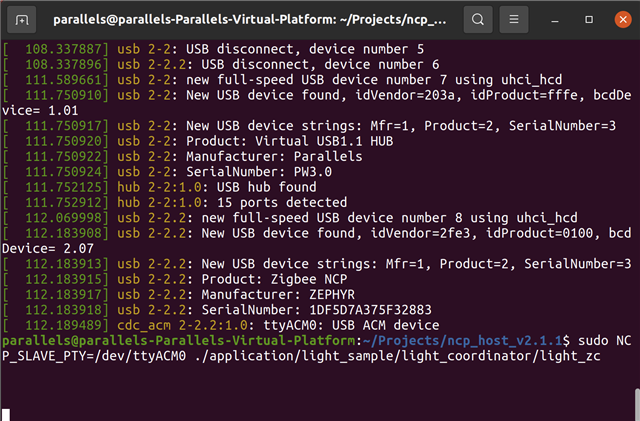
  3. I'm running the light coordinator example on Linux
  4. When I run the application, it just sits there

Any ideas on what I can try?

Parents
  • Hi Marte,

    To be clear, I'm using the nRF52840-Done for the board.  I had some issue getting the Connect SDK set up so I'm still working on it.  In the meantime, I purchased a Phillips Hue Bulb to test with.

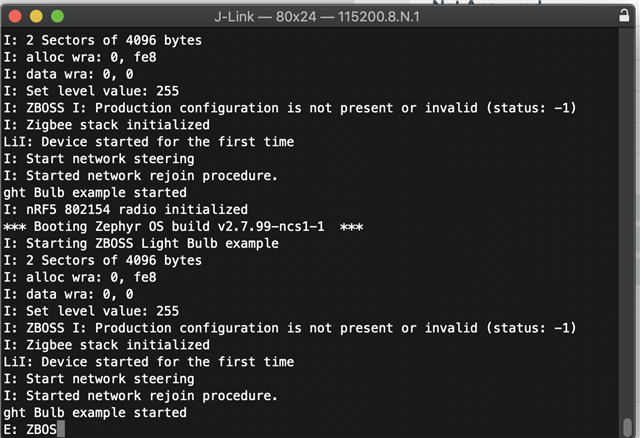
    When I say "it just sits there" is that after running the executable, I do not see any printout of any kind.

  • Hi,

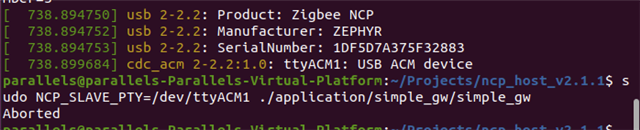
    I tested this myself, and I believe there might be an issue with using the Dongle as NCP gateway on VM. I first got permission denied, and after fixing this I now get an error that serial read failed. Using a DK it worked as expected. I will look more into this and check with the developers. In the meantime, can you upload the log from the NCP Host? It should be located in the NCP_HOST_V2.1.1 folder and called simple_gw.log. Preferably delete the log that is already there, then run the command to start the gateway (NCP_SLAVE_PTY=/dev/ttyACM0 ./application/simple_gw/simple_gw), and upload the new log here.

    Best regards,

    Marte

Reply
  • Hi,

    I tested this myself, and I believe there might be an issue with using the Dongle as NCP gateway on VM. I first got permission denied, and after fixing this I now get an error that serial read failed. Using a DK it worked as expected. I will look more into this and check with the developers. In the meantime, can you upload the log from the NCP Host? It should be located in the NCP_HOST_V2.1.1 folder and called simple_gw.log. Preferably delete the log that is already there, then run the command to start the gateway (NCP_SLAVE_PTY=/dev/ttyACM0 ./application/simple_gw/simple_gw), and upload the new log here.

    Best regards,

    Marte

Children
Related