Beware that this post is related to an SDK in maintenance mode
More Info: Consider nRF Connect SDK for new designs

ble_app_uart won't advertise as coded from example set

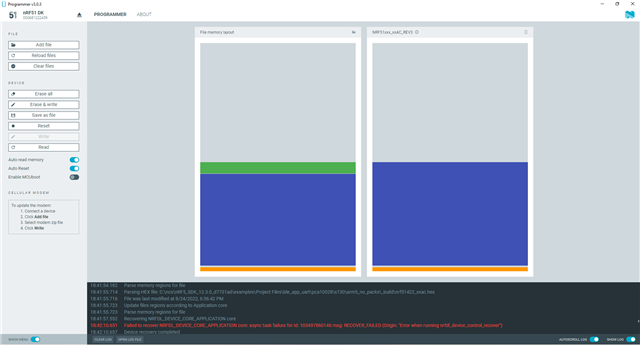
Hello, I am currently trying to program the uart example code from the nRF5_SDK_12.3.0_d7731ad zip file. After dealing with various reference address and device package issues, I am now able to flash the softdevice and progam sets to the chip. However, the chip is not advertising and it does work with the premade hex file. At this point I have no idea what could be wrong, the only noticible difference between the hex file layout in nRF Connect and the flashed softdevice and code from Kiel 5 is shown in the attached image, with hex file on the left covers the register address from 0 to 0x0001E3F7 while the flashed program from Keil goes from 0 to 0x0001E3FF. Other than that the recovery error is shown in the command window, but this occured even for the hex file which would advertise so I am unsure how to proceed.
Parents
  • Hi

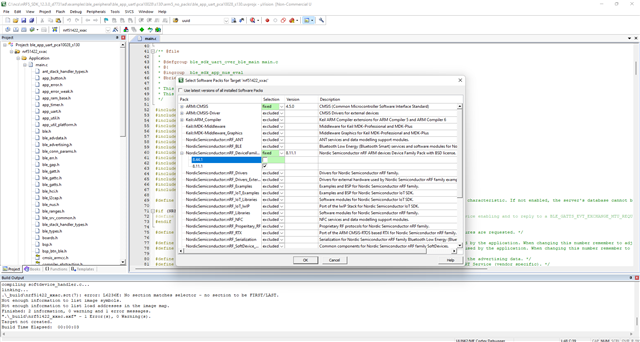
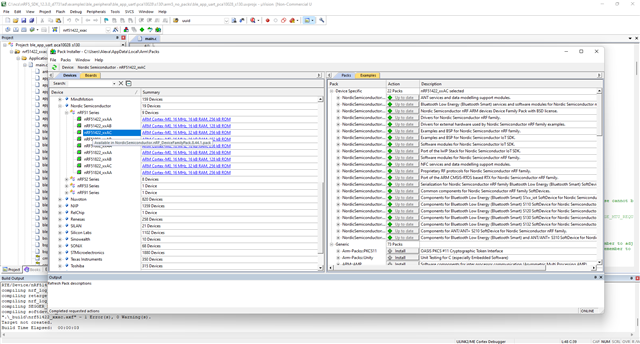
    Is your hardware a QFAA or a QFAC build? You should set the device to match your actual HW. When you have done so, make sure you have installed a supported version of the MDK and device family pack for Keil 5 and the nRF51. Explained by my colleague Kenneth here.

    Best regards,

    Simon

  • Hello Simonr,

    At the momen I'm using the DK, the current issues are occuring on the DK and I haven't tested it on my actual hardware yet. THe hardware in question follows the QFAA build. I am not aware of any aspect in Keil that needs to be set for the specific build, mainly just choosing the type, ie. xxac or xxaa. I have just realized that when I look at the devices listed in the Pack Installer, the only ones available are 8.44.1. However, as can be seen in the second image, I can only get it to run with 8.11.1. Is this what may be causing issues?

    Sincerely,

    Alexandre Tessier

Reply
  • Hello Simonr,

    At the momen I'm using the DK, the current issues are occuring on the DK and I haven't tested it on my actual hardware yet. THe hardware in question follows the QFAA build. I am not aware of any aspect in Keil that needs to be set for the specific build, mainly just choosing the type, ie. xxac or xxaa. I have just realized that when I look at the devices listed in the Pack Installer, the only ones available are 8.44.1. However, as can be seen in the second image, I can only get it to run with 8.11.1. Is this what may be causing issues?

    Sincerely,

    Alexandre Tessier

Children
Related