nRF52 DK is not getting connected to programmer software.

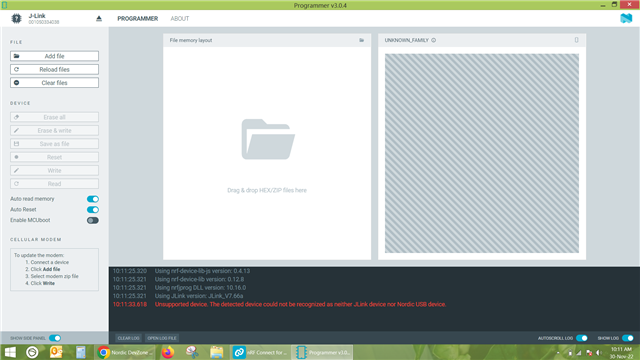
I have installed nRF connect for desktop .In which I am trying to connect nRF 52 DK through programmer software. As soon as I connect the development kit via USB to type B cable to laptop, it shows J link. But it does not show nRF52DK. and programmer software shows unsupported device. How could  I resolve the issue.
Parents Reply Children
  • I see. Is your end goal here to program the Minew chip using the tag connector?

    Yogesh Sarode said:
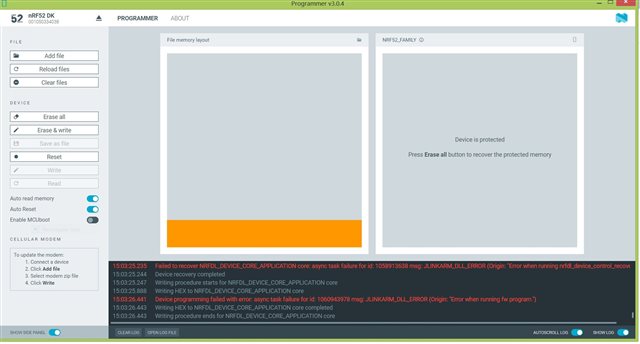
    And then if I connect the tag connect connector and try to erase or write the hex file then the below error occurs.

    What about if you keep the DK turned on, but disconnect the tag connector? What do you see in the Programmer then?

    And could you show me your environment variables, and check if you have a system variable path to "C:\Program Files\Nordic Semiconductor\nrf-command-line-tools\bin\"?

    Regards,

    Elfving

  • Yes ,my end goal is to program the Minew chip using tag connector.

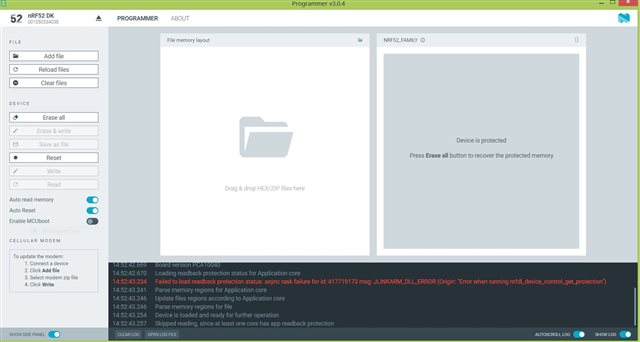
    If I keep the DK turned ON and disconnect the tag connector then nothing happen but if I select the Jlink device,the name gets changed to nRF52DK and log shows unsupported device.

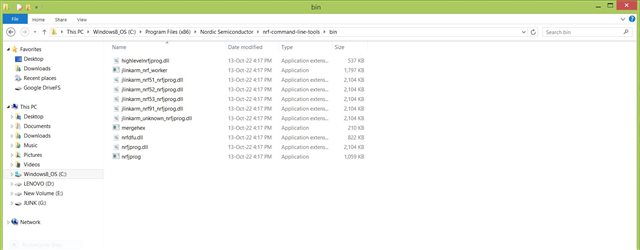
    Please find the attached image for path.

  • Yogesh Sarode said:

    Please find the attached image for path.

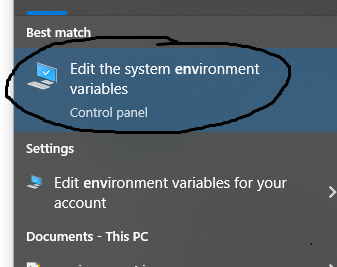
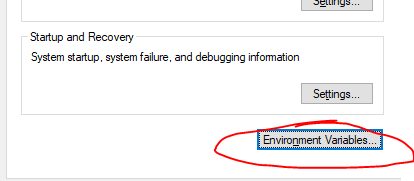
    Great, so that shows that nrfjprog is correctly placed there. Could you also show me the system paths in environment variables? To open this overview you can for instance press the windows key, and type "Environment variables" which should make it pop up. Then open it, and press "environment variables". 

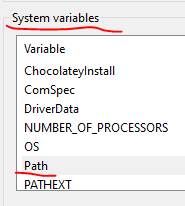
    Under "system variables", find where it says path, and double click that. It should take you to where you can edit environment variables.

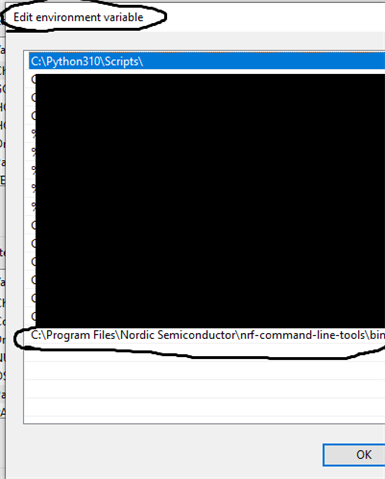
    Here you can see how I have one path at the bottom pointing the nrfjprog. Are any of the environment variables on your side pointing to C:\Program Files\Nordic Semiconductor\nrf-command-line-tools\bin\?

    Regards,

    Elfving

  • There are number of paths,

    C:\Program Files\AdoptOpenJDK\jdk-11.0.10.9-hotspot\bin;C:\Program Files (x86)\Python38-32\Scripts\;C:\Program Files (x86)\Python38-32\;C:\Program Files (x86)\Common Files\Oracle\Java\javapath;C:\ProgramData\Oracle\Java\javapath;C:\Program Files (x86)\Lenovo\FusionEngine;C:\Program Files (x86)\Intel\iCLS Client\;C:\Program Files\Intel\iCLS Client\;C:\Program Files (x86)\NVIDIA Corporation\PhysX\Common;%SystemRoot%\system32;%SystemRoot%;%SystemRoot%\System32\Wbem;%SYSTEMROOT%\System32\WindowsPowerShell\v1.0\;C:\Program Files\Intel\Intel(R) Management Engine Components\DAL;C:\Program Files\Intel\Intel(R) Management Engine Components\IPT;C:\Program Files (x86)\Intel\Intel(R) Management Engine Components\DAL;C:\Program Files (x86)\Intel\Intel(R) Management Engine Components\IPT;C:\Program Files (x86)\Common Files\lenovo\easyplussdk\bin;C:\Program Files\MATLAB\R2014b\bin;C:\Program Files (x86)\IVI Foundation\VISA\WinNT\Bin\;C:\Program Files\IVI Foundation\VISA\Win64\Bin\;C:\Program Files (x86)\IVI Foundation\VISA\WinNT\TekVISA\BIN;C:\Program Files (x86)\Microchip\MPLAB C32 Suite\bin;C:\Program Files (x86)\Microchip\MPLAB C30\bin;%CDSROOT%\tools\pcb\bin;%CDSROOT%\tools\bin;%CDSROOT%\tools\libutil\bin;%CDSROOT%\tools\fet\bin;%CDSROOT%\tools\specctra\bin;%CDSROOT%\tools\pspice;%CDSROOT%\tools\capture;%CDSROOT%\openaccess\bin\win32\opt;C:\Program Files\Git\cmd;C:\Program Files\TortoiseGit\bin;C:\Program Files\doxygen\bin;C:\Program Files\Microsoft SQL Server\120\Tools\Binn\;C:\Program Files (x86)\PuTTY\;%SOFTLOG_ICP%;C:\Program Files (x86)\Microchip\xc16\v1.20\bin;C:\Program Files (x86)\IVI Foundation\IVI\bin;C:\Program Files\IVI Foundation\IVI\bin;C:\Program Files (x86)\IVI Foundation\VISA\WinNT\Bin;C:\Program Files (x86)\Nordic Semiconductor\nrf-command-line-tools\bin\

    The highlighted path is present there.

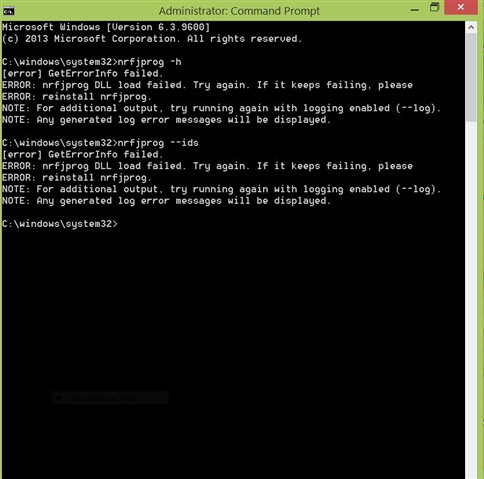
  • Do you find nrfjprog.exe in C:\Program Files (x86)\Nordic Semiconductor\nrf-command-line-tools\bin\?

    What happens if you double-click it in the folder, or try to run it in the terminal from inside this folder?

    Regards,

    Elfving

Related