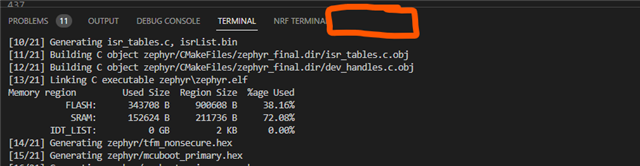
How do I get the NRF Debug tab to appear in the VS Code Panel

I see in the documentation that there should be a NRF Debug tab, in the VS Code panel. 

Just wondering where I would enable it.
Thanks Marshall

Parents Reply
  • Ah! I see the issue. Some of the sections in your left side panel start with "cortex", indicating that your are using the Cortex debug backend instead of the nRF Debug backend, which was recently made the default.

    First of all, make sure that you have updated the NCS extension. Then, change the backend with the nrf-connect.debugging.backend setting. Once you start debugging, the nRF Debug panel with the memory viewer should show up.

    if it doesn't, you can go to "View: Toggle nRF Debug" in the command palette.

    That should do it.

    Best regards,

    Raoul

Children
Related