Programming Thingy:53 with Bluetooth Mesh sensor_server example

I have successfully built the Bluetooth Mesh sensor_server example, using the thingy53_nrf5340_cpuspp_ns build configuration.

But when I come to try and program the Thingy:53, it does not appear in the Connected Devices list, when connected to an nRF5340-DK board with a standard 10-pin cable (I used one from a STLink-V3). The RGB LED on the Thingy:53 illuminates on power up and cycles through the three colours a couple of times before going out, as it does when not connected via the 10-pin cable. When the Thingy:53 is connected via the 10-pin cable to the nRF5340-DK, the LEDs on the latter are not illuminated and neither appear in the Connected Devices list.

When I unplug and replug the USB cable to the nRF5340-DK board without the Thingy:53 connected, then the nRF5340-DK is detected and does appear in the Connected Devices list.

What else do I need to do for the Thingy:53 to be detected please?

I am using nRF Connect SDK v2.3.0 on Windows 11.

Parents
  • alwalker said:
    I do not see NRF5340_xxAA_ENGD on the Connected Devices list when the Thingy:53 is switched off and/or disconnected from the nRF5340DK.

    So you do not see this exact part on the connected devices list, but I assume the rest of the section belonging to that DK is still there? Could you show me a screenshot of how this looks?

    What is the version of your Thingy:53? You should be able to see this number underneath the NFC tag, right below "PCA20053".

    alwalker said:
    and also to check using the same hardware setup?

    I haven't tried using your exact versions, but yeah I have tried it. The interface chip on the DK should read the UICR of the chip its programming and give it to you there. NRF5340_xxAA_ENGD should be referring to the SoC on the Thingy. I do not know exactly what you mean by selecting it though, would you mind expanding a bit on that?

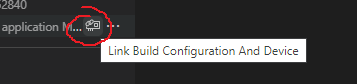
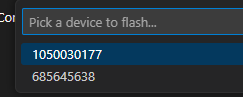
    You could in a way select something using the symbol in the image on the left, or after flashing when there are multiple options available. Though when making this selection you choose an id of the interface chips, not the name of the SoC.


    Regards,

    Elfving

  • Hi Elfving,

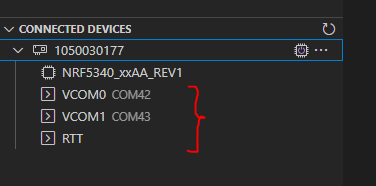
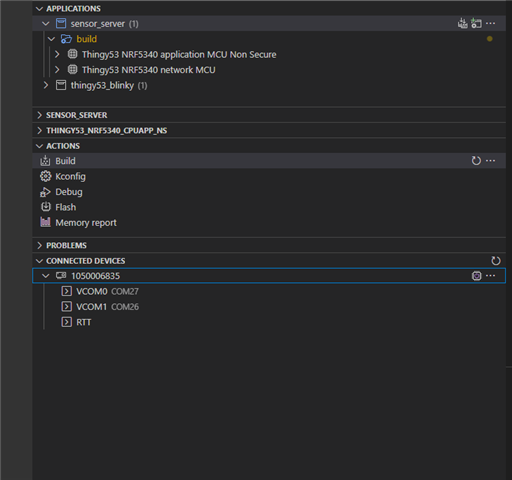
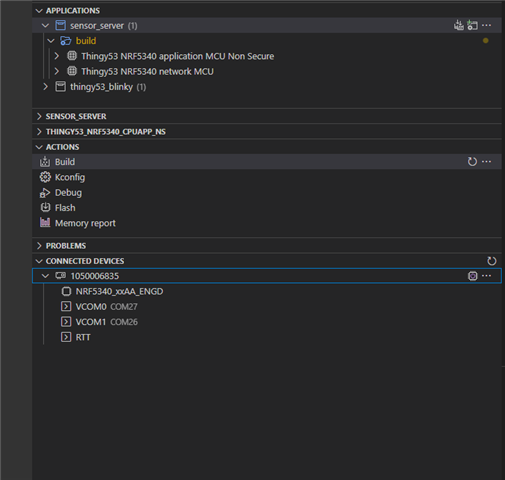
    This is what I see on the list of Connected Devices without the Thingy:53 connected/powered on:

    This is what I get with the Thingy:53 connected via the 10-pin cable and powered on:

    I select the NRF5340_xxAA_ENGD option in the normal way using the mouse pointer and right-clicking.

  • Hello,

    alwalker said:
    For both good and bad boards, when I power on the board (connected to the PC via USB)  I get a window pop up called JLINK (E:) that only shows two files:

    That is the interface chip showing up as a mass storage device. You can for instance flash your board by simply dropping the .hex file there. It is expected that it pops-up for all boards as there is nothing wrong with the interface chip on any of them. There shouldn't be anything else in the folder besides what you listed.

    alwalker said:
    The guide that you link to describes a folder called BOOTLOADER, I do not see that appear for either the good or bad boards.

    Ah yes for that you need to enter bootloader mode. That way you can do a DFU on the interface chip. Though I do not think that is necessary as this chip works as intended. Though are you saying that when you press the IF BOOT/RESET button while power cycling the kit the bootloader folder does not show up? Though once again, I do not think you need to reinstall the J-LINK interface MCU firmware.

    alwalker said:

    Regarding the syntax for logging, it is the format for the nrfjprog command to allow for logging as indicated in the above screen capture with the --log option. for example, what should I add to make this the complete command that can be executed?

    nrfjprog --recover --log

    Not sure if I understand what you mean here. Are you saying running nrfjprog --recover --log doesn't work for you?

    alwalker said:
    I also note the suggestion to use J-Link Commander, but I am not sure whether the instructions are correct for the nRF5340DK.

    No you don't have to worry about that step.

    Regards,

    Elfving

  • Hi Elfving,

    I confirm that even the working the nRF5304DK does not go into Bootloader mode when the RESET switch SW5 is kept pressed down on power up. As you say that the other measures identified are not necessary, how should I proceed with resolving the programming issue with the non-functioning nRF5340DK please? Especially as the JLINK (E:) folder contents appears to be ok.

    Kind regards,

    Al

  • Hi Elfving,

    Reading through a similar post, I found a link to this page:

    Getting started with Thingy:53 — nRF Connect SDK 2.3.99 documentation (nordicsemi.com)

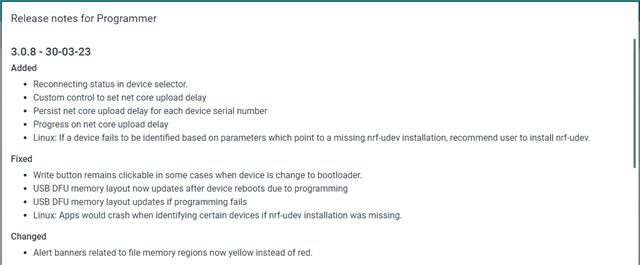
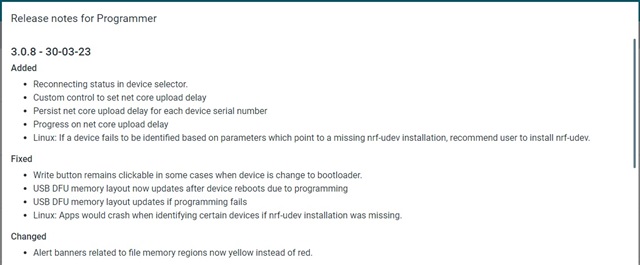
    And i note that the latest version of nRF Connect for Desktop Programmer has changes to the USB DFU:

    Should I be using the Programmer application instead to fix the non-working nRF540DK board please? If so, what process should I follow, and can you provide a link to the file to program it with please?

    Kind regards,

    Al

  • alwalker said:
    I confirm that even the working the nRF5304DK does not go into Bootloader mode when the RESET switch SW5 is kept pressed down on power up.

    Not sure if I am understanding you here. Are you saying that not only does this DK not enter Bootloader mode when the RESET switch is switch is kept pressed down on power up, but the even the working nRF5340DKs don't?

    alwalker said:
    how should I proceed with resolving the programming issue with the non-functioning nRF5340DK please?

    Could you send me a picture of the DK? And in the previous picture you sent one of the leds seemed to be flashing?

    alwalker said:
    Should I be using the Programmer application instead to fix the non-working nRF540DK board please?

    No I do not think that would be necessary. In order to program using a DFU the chip in question needs to already have a functioning bootloader etc.

    Regards,

    Elfving

  • Hi Elfving,

    I get the same result (not launching the Bootloader) with the functioning nRF5340DK. JLINK(E:) is launched.

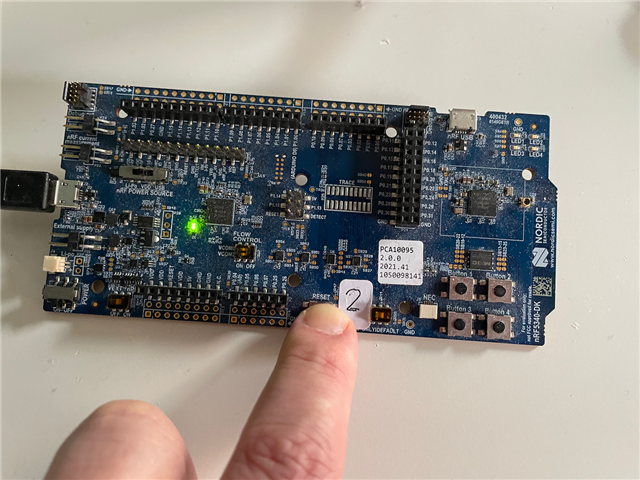
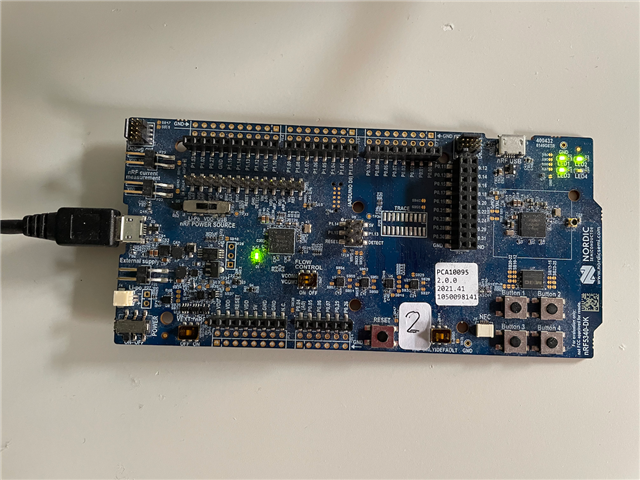
    Photo of reset process on working nRD5340DK:

    LED flashes when there is data communication.

    And then running the already programmed application:

    Incidentally I can use this process to program the Thingy:53 successfully without using the nRF5340DK:

    https://academy.nordicsemi.com/flash-instructions-for-the-thingy53/

    Kind regards,

    Al

Reply Children
  • Hi Al, 

    HĂĄkon is on vacation so I will take over this case. 

    It's been a long discussion so I would be appreciate if you can give me a summary of the issue you are having now. 

    Please be aware that the method of putting the Dev Kit to BOOTLOADER mode by holding button SW5 when resetting is no longer work with nRF53 DK. On the nRF53 DK it's not possible to manually update the firmware of the interface chip. 

    Regarding the instruction you pointed to: https://academy.nordicsemi.com/flash-instructions-for-the-thingy53/ It's about how to use the USB bootloader to program the Thingy53. You will not be able to debug the application on it as you can do with the SWD interface on the nRF53 DK. 


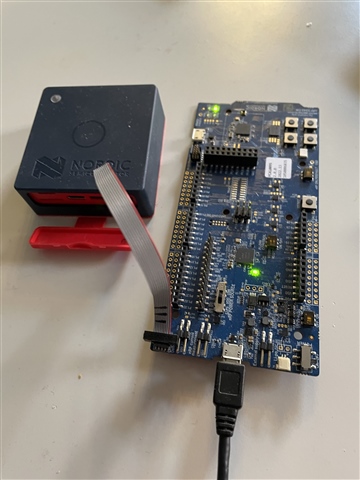
    Also please be aware if you connect the Debug out of the nRF53 DK to the Thingy53 like this: 

    You would need to turn on the Thingy to make it work. 
    Also in Visual Studio Code you will not see the Thingy name appear but only the serial number of the nRF53 DK. 

  • Hi Hung Bui,

    Thank you very much for confirming my experience that it is not possible to reprogram the interface chip on the nRF5340DK. This information does not seem to have been shared with Elfving, resulting in this very long thread, can I suggest better sharing of information between DevZone team members please?

    Unfortunately this is now the 4th DK board that has been bricked and will have to go in the (recycling) bin, the previous three were nRF5340 Audio DK boards during initial LE Audio testing (a problem that I know was experienced by other developers). This suggests that there is an issue with the Interface IC HW/SW implementation that needs addressing, especially as I am concerned that I will experience the same issue if I try to use my other nRF540 DK boards to provide the debug function for Thingy:53. Obviously I have limited appetite and budget to keep buying new DK boards.

    It would be appreciated if you could review at least the start of this thread, as I am not sure what was expected behaviour and at what point the interface IC became corrupted. Most of the rest of this thread gets lost in trying to reprogram the bricked DK board.

    Kind regards,

    Al

  • Hi Al, 

    Could you give me a brief summary of your situation now ? 

    From what you wrote in the original question, the nRF53 DK was still working if you don't connect the Thingy53. Is it still the case or it's now bricked ? 
    Can you program the nRF53 chip on the DK (not the interface chip)  ?

  • Hi Hung Bui,

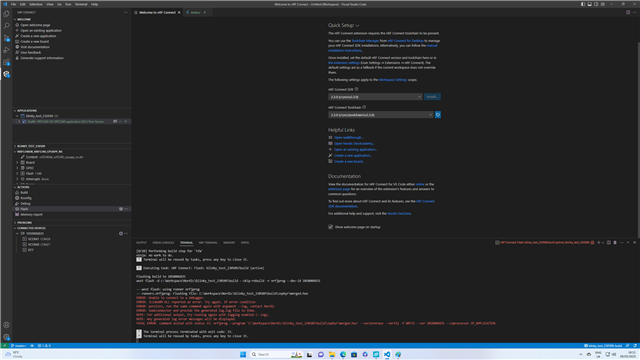
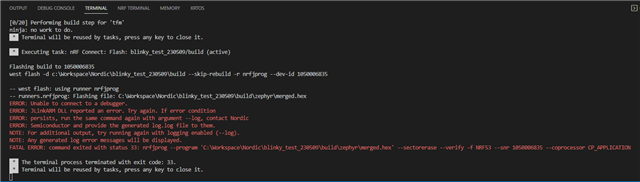
    As a test, I created a completely new project using the Blinky template. The project builds as expected but then fails when I try to flash it to the nRF5340 DK. I have been previously able to flash this board.

    Kind regards,

    Al

  • Hi Al, 

    Is there any chance you know how exact the board stopped working, was it when you did anything ? 

    Could you try the following command: 


    nrfjprog --recover --family NRF53 --log


    And send us your log.log file created (in the same folder).

    Also please run this: nrfjprog --version and let us know the version of nrfjprog and Jlink. 

Related