nRF54LM20B UART Communication

Hi Team,

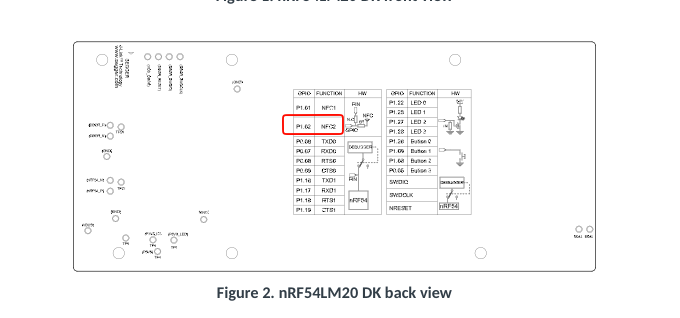
Currently I am working with nRF54LM20 DK. And tried to import and use echo bot example from SDK. 
And modified the overlay file as per the UART pin changes required for my application. But I am not able to see any UART prints on console.
Adding overlay file contents here

&pinctrl {

    uart21_default: uart21_default {
        group1 {
            psels = <
                NRF_PSEL(UART_TX, 1, 2)   /* TX → P1.02 */
                NRF_PSEL(UART_RX, 1, 3)   /* RX → P1.03 */
            >;
        };
    };

    uart21_sleep: uart21_sleep {
        group1 {
            psels = <
                NRF_PSEL(UART_TX, 1, 2)
                NRF_PSEL(UART_RX, 1, 3)
            >;
            low-power-enable;
        };
    };
};

&uart21 {
    status = "okay";
    current-speed = <115200>;

    pinctrl-0 = <&uart21_default>;
    pinctrl-1 = <&uart21_sleep>;
    pinctrl-names = "default", "sleep";
};


/ {
    chosen {
        zephyr,console = &uart21;
    };
};

Please let me know the issue I am facing to use this bus.

Thanks and regards,

Vinay

Parents Reply
  • Hi Vinay,

    P1.5 and P1.6 are not assigned to any specific functionality on the DK, so you can use them freely. As for why it is not working, it is difficult to say without more debugging information. Have you verified that your serial bridge is working and that the connections are correct (for example, could TX and RX be swapped)?

    I quickly tested the echo_bot sample with the following DT overlay: 

    &pinctrl {
        uart20_default: uart20_default {
            group1 {
                psels =
                    <NRF_PSEL(UART_TX, 1, 5)>,
                    <NRF_PSEL(UART_RX, 1, 6)>;
            };
            /delete-node/ group2;
        };
    
        uart20_sleep: uart20_sleep {
            group1 {
                psels = <NRF_PSEL(UART_RX, 1, 6)>;
                low-power-enable;
            };
            group2 {
                psels = <NRF_PSEL(UART_TX, 1, 5)>;
                low-power-enable;
                bias-pull-up;
            };
        };
    };

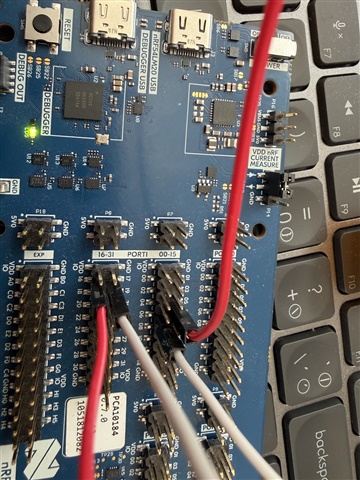
    I used jumper wires to connect P1.16 to P1.5 and P1.17 to P1.6 in order to use the on-board serial bridge.

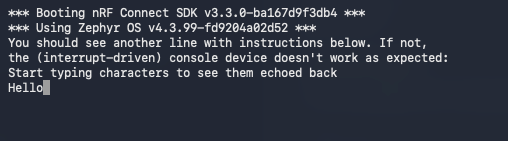
    Console output:

    Hex file from my build:

    echo_bot.hex

    Best regards,

    Vidar

Children
Related