This post is older than 2 years and might not be relevant anymore
More Info: Consider searching for newer posts

nRF9160 Cannot make Kconfig options have an effect in Segger Embedded Studio

I have a nRF9160 DK and I'm adapting the asset tracker to connect to our own AWS cloud solution.

I see the code nrf_cloud uses defines coming from the Kconfig at \nrf\subsys\net\lib\nrf_cloud\Kconfig.
For example: NRF_CLOUD_HOST_NAME, NRF_CLOUD_PORT, NRF_CLOUD_PROVISION_CERTIFICATES, NRF_CLOUD_CERTIFICATES_FILE etc

How do I make changes to the Kconfig have an effect when building in Segger Embedded Studio? No matter what I do, changes to this Kconfig doesn't have an effect to the built result.

Am I missing the point, how it's supposed to work perhaps?
Anyone who can educate me, how to work "correctly" with this, would be appreciated.

I tried to build from commandline, but couldn't make it work, so I'm sticking with Segger Embedded Studio so far.
Build platform: win7

Johan

Parents Reply Children
  • Martin, I have now done a few steps, and have questions.

    * I verified V4.16 setup is correct.
    * I flashed the merged.hex instead, and it seems to start correctly now.

    The output from the lte_ble_gateway shows problems.
    See log below.
    Where do I enable extensive debug printing? ie Log level debug.

    LOG OUTPUT (putty)
    SPM: NS image at 0x8000
    SPM: NS MSP at 0x2002b060
    SPM: NS reset vector at 0x10c6d
    SPM: prepare to jump to Non-Secure image.
    ***** Booting Zephyr OS v1.14.99-ncs1-rc2 *****
    Application2 started
    Initializing Bluetooth..
    Establishing LTE link (this may take some time) ...
    ASSERTION FAIL [err == 0] @ ../src/main.c:515
    LTE link could not be established.
    ***** Kernel Panic! *****
    Current thread ID = 0x20022620
    Faulting instruction address = 0x2e22a

  • "Application 2" was "Application" before. I changed it to verify that flashing really did change something, so otherwise the app is unchanged.

  • Hi Johan,


    If this is the default unmodified LTE gateway sample, it is highly possible that this error is caused of using an older modem firmware running on your device.
    Please update to the latest: https://www.nordicsemi.com/Products/Low-power-cellular-IoT/nRF9160/Download#infotabs

    IMPORTANT NOTE:

    • There is a bug in the modem firmware version -> "mfw_nrf9160_0.7.0-15.alpha" which makes it start in "nb-iot mode" as default. 
      To change to the "LTE-M" mode you need to send an  AT-Command.
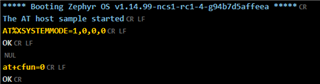
      AT%XSYSTEMMODE=1,0,0,0 and then AT+CFUN=0 to save the changes into the modem flash.

    When you restart your device it will now go into the LTE-M mode. 

  • Hi Martin,

    I have the NB-LTE firmware installed, and we got it from Brian, since it's the connection we need in our solution.

    This one we got, and have flashed: mfw_nb1_nrf9160_0.3.0-73.prealpha

    Should I use it, or flash another one, the one you suggest?
    Note, we need NB-LTE.

  • I flashed the modem firmware you linked to. 
    Now it looks better, but still some problem.

    SPM: NS image at 0x8000
    SPM: NS MSP at 0x2002b060
    SPM: NS reset vector at 0x10c6d
    SPM: prepare to jump to Non-Secure image.
    ***** Booting Zephyr OS v1.14.99-ncs1-rc2 *****
    Application2 started
    Initializing Bluetooth..
    Establishing LTE link (this may take some time) ...
    ASSERTION FAIL [err == 0] @ F:/nsd_src_root2/zephyr/subsys/bluetooth/host/hci_core.c:312
    k_sem_take failed with err -11
    ***** Kernel Panic! *****
    Current thread ID = 0x20026814
    Faulting instruction address = 0x2e22a

    I have the thingy online just beside me, since it's related to bluetooth.

    Input on what to do about this?

Related