Hi,


Hi,


Hello, Rahul.
I see. I believe that the "install package" prompt you are getting when opening Segger is because you already have a standalone Segger installation on your computer. Correct? You can try one of the fixes described in this thread. However, the error should be harmless.
When it comes to SES hanging. Is it totally unresponsive, or are you able to do some things (like opening a new project for example)? It can be a bit slow and stutter at times, mind you.
When it comes to the Thingy:91 programming, it may be that the bootloader was overwritten (which is required for MCU Boot). Are you able to read the memory of the Thingy:91 in the nRF Connect programmer app when it's connected using the JLINK? If so, post a screenshot of it here.
To reenable MCU Boot I recommend flashing one of the full images from the Thingy:91 firmware package, located on the product page.
Best regards,
Carl Richard
Hi Carl,
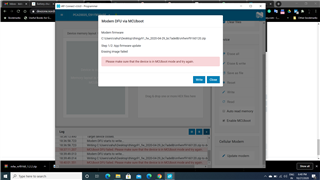
I got your point regarding MCU boot mode. I did it earlier successfully but now when I tried to reload the modem firmware but every time showing the below error.

But when I tried to set nRF52840 into MCU boot mode it goes under boot mode but nRF9160 did not.
So the question is we tried to load the hello_world program using J link Edu (which was not done successfully) due to this IC got damaged or blocked? otherwise, it should go under MCU boot mode.
Might be we had done some mistake while flashing the code but there should be the other way to reset the nRF9160 or bring it back to life.
Can we upload the modem file using J link Edu?
Thanks and Regards,
Rahul Kidecha
I see.
What kind of errors did you experience when trying to flash hello_world with the JLink EDU? Did you try to do it using the nRF Connect Programmer app? The IC is probably not damaged, but as mentioned the bootloader may have been erased (which is why MCUBoot won't work).
If the bootloader is erased the only way to restore the device is using a debugger, like the JLink Edu. The debugger can also be used to flash the modem file.
What are you seeing in the nRF Connect programmer app when connected through the JLink Edu? Please provide a screenshot.
Best regards,
Carl Richard
Hi Carl,
What kind of errors did you experience when trying to flash hello_world with the JLink EDU?
Yes I tried to flash hello_world with JLink EDU
Did you try to do it using the nRF Connect Programmer app?
I was following this link to debug thingy 91 using segger.
developer.nordicsemi.com/.../ug_thingy91.html
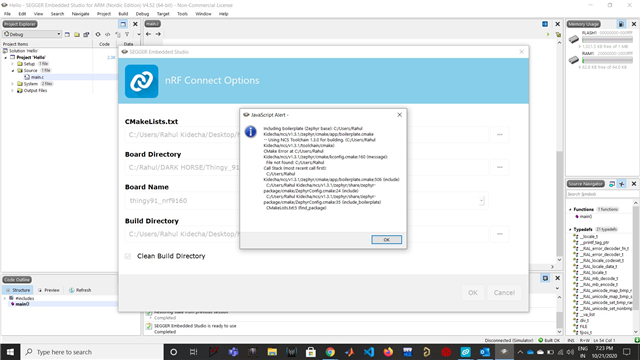
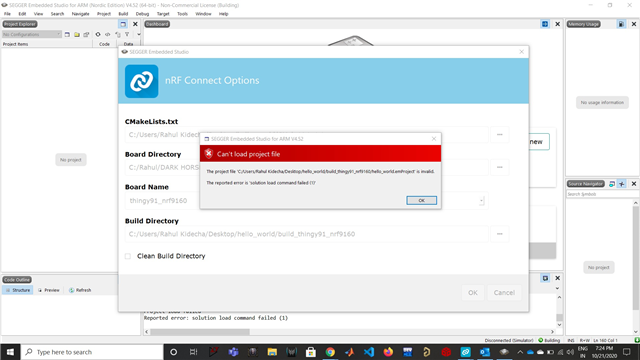
When I am debugging using Segger software was getting hang and not allowing me to do anything. after step 3 ( doing setting nrf connect setting )
Do I need to make changes in the directory?
Regards,
Rahul Kidecha
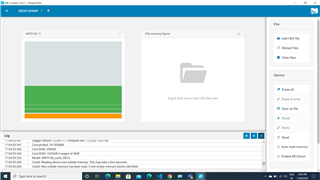
What are you seeing in the nRF Connect programmer app when connected through the JLink Edu? Please provide a screenshot.
check below Image