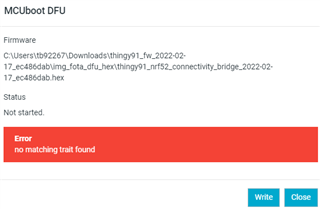
Hello, I am receiving error code 40412 when I attempt to activate my nRF9160-DK board. Following other similar DevZone tickets has not resolved my issue. My steps so far and logs are below.
Board: nRF9160-DK
Location: Kentucky, USA
- Use Programmer v3.0.0 to erase and write "nrf9160dk_asset_tracker_v2_ltem_2022-02-17_ec486dab.hex" and "mfw_nrf9160_1.3.1.zip" as instructed in Getting started with nRF9160 DK — nRF Connect SDK 1.9.99 documentation (nordicsemi.com)
- Activate iBASIS eSIM card on nRF Cloud. I have 10Mb of data remaining and it says "not connected to any device" underneath the SIM card number. Out of the six total nRF9160-DK's and Thingy91's I have, only two SIM cards were not expired. Both were from the Thingy91 boxes (are the iBASIS eSIM's that come with the Thingy91's compatible with the nRF9160-DK's?). I should be receiving replacement SIM cards from iBASIS next week.
- Open LTE Link Monitor v2.0.1 to check connectivity
- Confirm Security Tag = 16842753 (enter "AT+CFUN=4" then Update Certificates in Certificate Manager tab)
- Press board Reset Button
- Enter "AT+CFUN?" twice, then all 5 UART/Modem/UICC/LTE/PDN lights are green
- Receive LTE Link Monitor window below. Terminal output is at the very bottom.
- I see three quick blinks on LED3 and then a short pause, with this cycle repeating continuously.
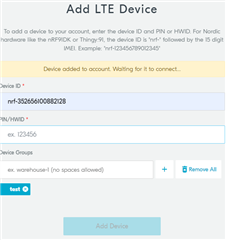
- Attempt to add LTE device in the nRF Cloud
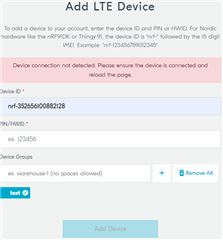
- I enter the IMEI in the "Device ID" field and the HWID without colons in the "PIN/HWID" fieild.
- Receive error screen below
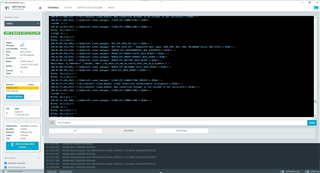
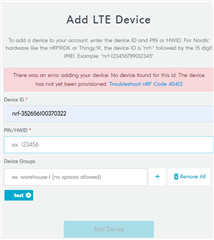
Am I doing something improperly in the setup process? It seems that it is having trouble connecting to the cloud from the logs below? I don't know if I have provisioned the device yet, but I don't see anything about provisioning in the getting started instructions.
Thanks.