On Windows 7 64 after update to 3.8 (and 3.9) nRF Connect for Desktop the Bluetooth Low Energy and Power Profiler can't find device nRF52840-Dongle and PPK2.
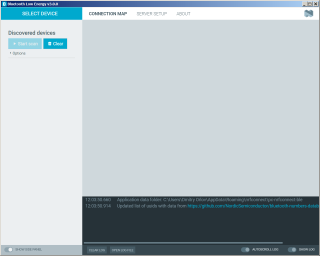
What to do? On the other computer with Win10 it works
On Windows 7 64 after update to 3.8 (and 3.9) nRF Connect for Desktop the Bluetooth Low Energy and Power Profiler can't find device nRF52840-Dongle and PPK2.

What to do? On the other computer with Win10 it works
Hi Dimitri,
Could you try downgrading JLink to a version older than 7.2.0a? I would also like to mention that we do not officially support Windows 7. The supported operating systems are Windows 10, Mac OS and Ubuntu Linux (latest LTS Version). You can find further details in the documentation for nRF Connect for Desktop.
Regards,
Swathy
Thanks for answer!
I have (as I think) two versions of the J-Link software, 6.90a and 7.52d, one in the
"C:\Program Files (x86)\SEGGER\JLink" (6.90a)
and other
"C:\Program Files\SEGGER\JLink" (7.52d)
I don't know what version used by Segger Embedded studio that I use for evaluation with nRF52832, but its works. I can program and debug modules with my J-Link probe. I see that nRF Connect for Desktop supported only by Win10, but before update it worked on the Win7
Hi,
As I mentioned, all the versions are supported and tested only on Windows 10 and we would highly recommend you to use the same. In case, you face any issues on Windows 10, kindly let me know.
Regards,
Swathy
Thanks. But how I can install previous version of the Connect desktop and applications? I try to download previous version, but I can't install previous version of the Bluetooth Low Energy and Power Profiler (and also all other). And related question. Is there way to offline install these tools? I mean download some package and install it without Internet.
And other question. Do you have protocol description for PPK2? I want to made my own software for it, but I found only source code for Power Profiler that is not so clear for me.
Regards,
Swathy